


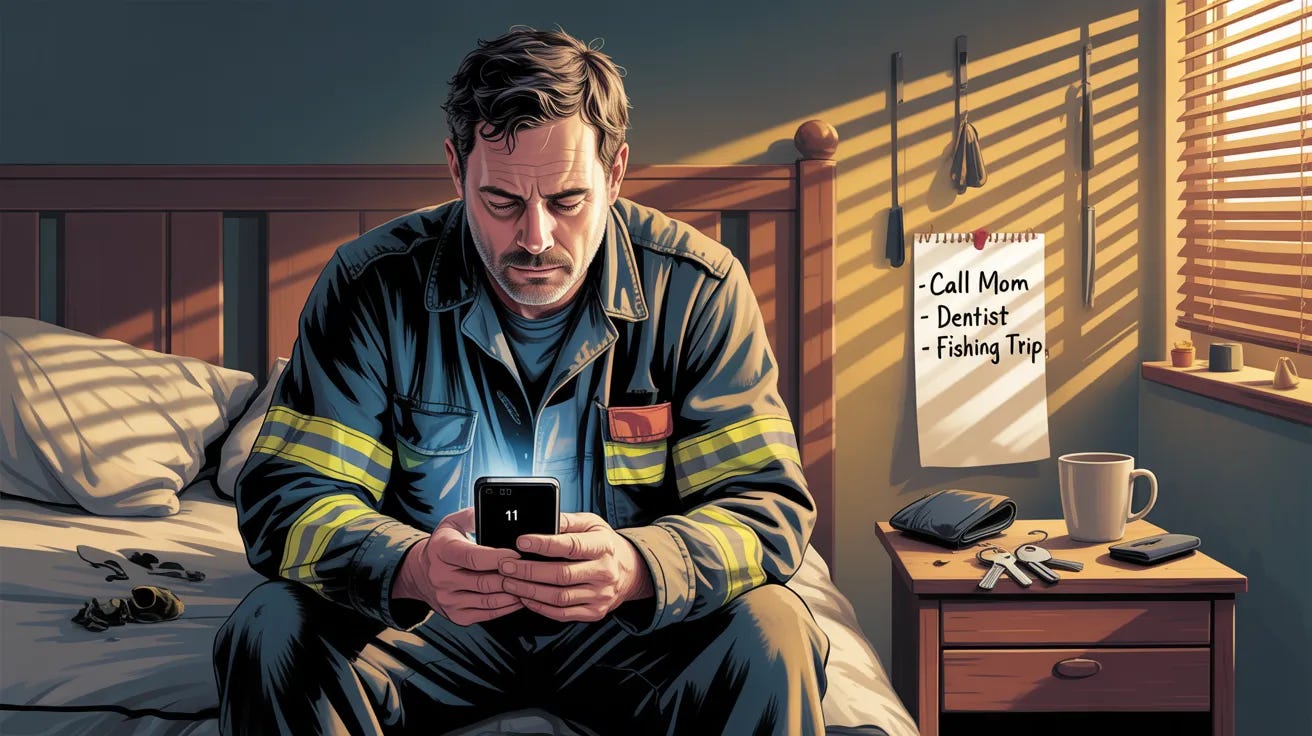
The firefighter finishes his shift at 7 AM.
Eighteen hours of calls.
Two structure fires. One car accident. Three medical emergencies.
His body knows he needs sleep, but his mind is still running through everything.
He’ll remember to call his mom back tomorrow.
He’ll remember to reschedule the dentist.
He’ll remember to text his buddy about the fishing trip.
He wakes up at 4 PM. Checks his phone. Sees 11 notifications he forgot existed.
The human brain can hold about 7 items in working memory.
After an intense experience, that number drops to three. Maybe two.
“I’ll remember” is the lie we tell ourselves when we’re too tired to write it down.
You just finished a great DM conversation. Sarah said she needed to think about it, but she was warm.
She asked smart questions. She told you things she hasn’t told other coaches.
“I’ll follow up tomorrow.”
Tomorrow you’re slammed with client calls. The day after, your kid gets sick.
A week passes.
You finally remember Sarah when you’re scrolling old messages looking for something else.
You type “Hey, just checking in!” and feel the cringe before you even hit send.
Sarah moved on 3 days ago.
That conversation was worth $12,000. You lost it because you trusted your brain to do something your phone could have done automatically.
Tonight I’m sharing the 3-part system that turns every finished conversation into an automatic follow-up sequence, so no prospect ever disappears into your DM archive again.
→ Why the 30-second window after a conversation determines whether you ever close that sale
→ The app-triggered reminder system that shows you who needs attention exactly when you can act
→ How to make your lock screen an accountability mirror for your hottest prospects
Let’s stop trusting your memory to run your business...
3 Simple Steps to Build Your “Conversation Close Protocol”
Most coaches think the conversation is what closes the sale.
Here’s what actually matters: what happens in the 30 seconds after.
❶ Immediate Capture: The 30-Second Window That Determines Everything
The conversation just ended. Sarah said she needed to discuss it with her husband.
She mentioned their anniversary trip is next week. She asked if the payment plan was flexible. She seemed genuinely interested.
You feel good about it.
You close Instagram and check your email. Then Slack. Then you remember you were supposed to call your accountant.
An hour passes. You vaguely remember Sarah said something about timing being tricky.
Was it her husband’s schedule? A vacation? Something about money?
You can’t remember. So your follow-up says nothing specific. It sounds like every other follow-up she’s gotten from every other coach.
Delete.
Instead of trusting your memory to hold details for later, capture them in the 30-second window while they’re still fresh:
❌ Before: Three days later: “Hey Sarah! Just wanted to check in and see if you had any other questions about the program. Let me know!”
✅ After: Three days later: “Hey Sarah! Hope the anniversary trip was amazing. Now that you’re back in reality, did you and your husband get a chance to talk through the timing? I know you mentioned Q2 being crazy with his travel schedule. If starting in May works better, we could look at that.”
Here’s how to build your immediate capture system:
1️⃣ Create a conversation close trigger: The moment a conversation pauses or ends, that’s your cue. Before you do anything else, before you close the app, before you check anything, you capture.
2️⃣ Use their exact words: Don’t summarize “she has concerns about timing.” Write exactly what she said: “husband travels a lot in Q2, anniversary trip next week, asked about payment flexibility.” Her language is your follow-up weapon.
3️⃣ Include the emotional context: Was she excited? Hesitant? Skeptical but curious? Write it down. “Seemed genuinely interested but nervous about the investment” tells you how to frame your follow-up.
Instead of following up with generic check-ins, you follow up with proof that you were actually listening.
❷ Smart Reminders: Stop Reminding Yourself At The Wrong Time
Your phone buzzes at 9 AM. “Follow up with Sarah.”
You’re in the middle of a client session. You swipe it away.
The reminder is gone. Sarah is gone. You remember her again 3 weeks later.
Traditional reminders fail because they’re time-based, not context-based. A reminder at 9 AM means nothing if you’re not in a position to actually send a DM at 9 AM.
Instead of scheduling reminders for times, schedule them for contexts:
❌ Before: Calendar reminder at 9 AM → Dismissed because you’re busy → Forgotten forever
✅ After: “When I open Instagram, show me who needs follow-up” → Reminder appears when you’re already in position to act → Follow-up happens
Here’s how to build your smart reminder system:
1️⃣ Link reminders to apps, not times:
iPhone Shortcuts: Create an automation that runs when you open Instagram. It shows a notification with your follow-up list. You see it exactly when you can do something about it.
Android Tasker: Same principle. App open triggers task display.
2️⃣ Create qualification-based timing rules: Your 3-Message Method qualification status determines your follow-up timing:
Fully qualified (answered fit, problem, investment questions) → Follow up in 24 hours
Partially qualified (missing one dimension) → Send value-add content in 48 hours
Not qualified → Send helpful resource, no chase
3️⃣ Build “when I have 5 minutes” triggers: Create a separate list for quick follow-ups. When you’re waiting for coffee, waiting for a call to start, waiting anywhere, you can knock out two or three without context-switching.
Instead of reminders you dismiss, you have prompts that appear when you’re ready to act.
❸ Visibility Infrastructure: Make Your Lock Screen Work For You
Out of sight, out of mind.
Every productivity system fails for the same reason: it requires you to remember to check it.
You have a beautiful CRM with color-coded pipelines and automated sequences and you haven’t opened it in two weeks because life happened.
Your follow-up list needs to be impossible to ignore.
Instead of hiding your prospects inside apps you forget to open, put them on the screen you look at 96 times a day:
❌ Before: Follow-up list buried in Notion → Requires opening app → Requires remembering list exists → Doesn’t happen
✅ After: “3 Hot Prospects” widget on lock screen → See it every time you check phone → Impossible to forget → Follow-ups happen
Here’s how to build your visibility system:
1️⃣ Lock screen widget (iPhone): Use the Reminders app to create a “Hot Prospects” list. Add your three warmest leads. Add the lock screen widget that shows this list. Every time you pick up your phone, you see their names.
2️⃣ Home screen widget (Android): Google Tasks or Keep widget on your main home screen. First thing you see when you unlock. Their names stare at you until you follow up.
3️⃣ The “Three Hot” rule: Only keep three prospects on your visible list. When one converts or goes cold, another moves up. This creates urgency without overwhelm. You’re never looking at 47 names wondering where to start.
Instead of prospects disappearing into your system, they stare at you from your pocket 96 times a day.
That’s it.
Here’s what you learned today:
→ The 30-second capture window determines whether your follow-up sounds generic or personal
→ App-triggered reminders put prospects in front of you when you can actually act
→ Lock screen visibility makes follow-up impossible to forget
After your next DM conversation ends, don’t close the app until you’ve captured three specific details in your notes app.
Ready to build a follow-up system that runs without willpower?
You’re not forgetful, but your system is.
When follow-up requires remembering to check an app you don’t use, prospects die in your DM archive.
Today’s paid member mega-prompt builds your complete “Conversation Close Protocol” so no prospect ever disappears again.
Paid members get:
✔ Immediate capture templates
→ What to record (exact format)
→ Where to store it (platform-specific)
→ How to tag for follow-up timing
✔ Smart reminder configurations
→ App-trigger automation setup
→ Qualification-based timing rules
→ “When I have 5 minutes” lists
✔ Lock screen visibility setup
→ Widget configuration guides
→ “Three Hot” list management
→ Rolling priority system
