


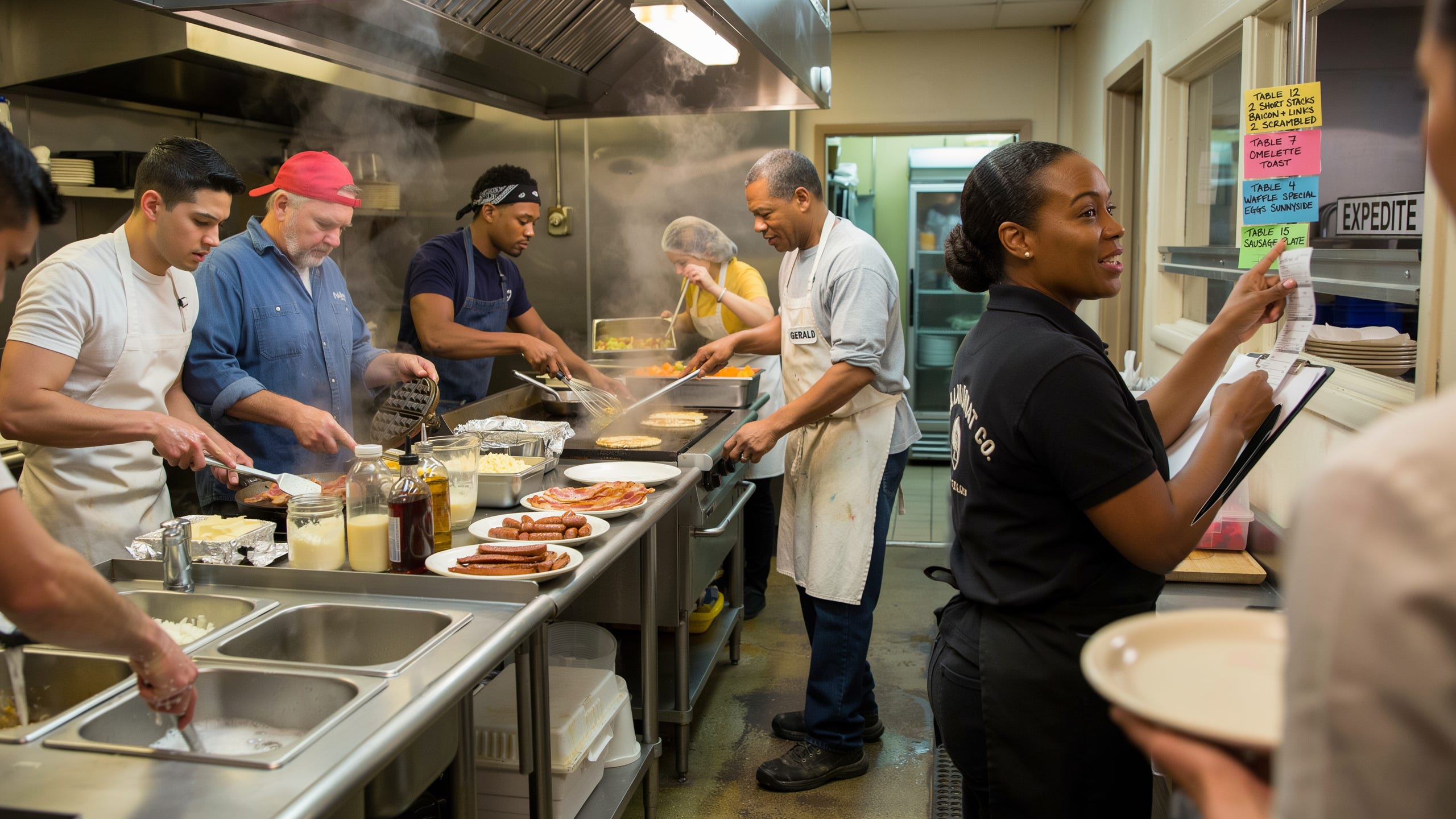
Gerald has been a line cook at an Atlanta breakfast spot for 11 years.
The Saturday breakfast rush there is insane.
6:30am the doors open. By 7:15 there’s a wait list. By 8:30 the line is out the door and into the parking lot.
Inside the kitchen at 8:30… there’s 4 cooks on the line.
Gerald on the flat-top grill. Marcus on eggs. Pop on waffles and pancakes. New guy on bacon and sausage.
4 positions. All coordinated.
The new cooks always think the magic is in the cooking. It’s not.
The magic is in the order.
When the waitress calls “table 12, two short stacks, sides bacon and links, two eggs scrambled,” the expediter slaps the ticket in the window.
Pop reads it first because pancakes need 7 minutes. New guy reads it second and starts the bacon and links because they need 4. Marcus reads it third and starts the eggs about 90 seconds before the pancakes plate, because eggs only need 2. Gerald reads it fourth and warms the compote because it’s a 60-second pour.
When all four positions hit their timing, every ingredient on the plate arrives within 30 seconds of each other. Food is hot. Customer is happy.
The line only works because every position does their job in order.
Now what does this have to do with DMs Tia 🤣
Well, if you want to process all of your inbound DMs, without burning yourself out, your inbox needs to run like Gerald’s line. But most inboxes I audit run like this:
→ The founder or setter or AE opens the inbox Monday morning.
→ Answers the two easy DMs sitting on top. Replies to a couple comments.
→ Feels productive, closes the app.
Underneath those two easy ones are 30 inbound leads from the weekend, plus a ‘message requests’ folder full of people who don’t follow them yet, plus a comment thread on Friday’s post full of leads nobody’s moved to the DMs.
No order or nothing. Just grabbing whatever’s on top, one message at a time, and letting the rest rot.
Today, I’m walking you through:
→ The one rule that runs the whole inbox: tag everyone in the tool you already use, then work the tags warmest to coldest
→ The exact order to work them in, and why brand-new inbound gets the human touch before anything else
→ The four moves that work each group, from the A.C.T. trigger to the specific-reference bump
Let’s start with Gerald’s line at 8:30am Saturday…
🏗️ Today’s Build | The Daily Inbound Work Order
One rule runs the whole thing: tag everyone, then work the tags warmest to coldest.
You don’t move people into a CRM or a second system just yet. Whatever runs your DMs already tags.
Kondo or LeadDelta on LinkedIn. ManyChat or Chatfuel on Instagram, Facebook, TikTok. Utilize the features already in the tools.
Here’s the order every inbound lead should be worked when you open the app:
1️⃣ New inbound since last session
First. Every session.
On ManyChat or any Meta tool, they already got the automated message with whatever they asked for. That’s the machine talking. Your job is to put the human in the inbox before they cool.
I gave you the structure of this message on Day 6.
The whole point of this message is to trigger a response so a human conversation starts.
✅ Clear these first. A brand-new hand-raiser has the shortest window. The automation bought you a few minutes of attention. Spend it.
❌ Don’t leave them sitting behind the robot thinking a robot is all they get.
2️⃣ Booked since you were last in the inbox
“Saw you found a time. Dropping the Zoom link right here for you.”
Always drop the actual Zoom link in the DM, even though Calendly already emailed a confirmation (if you have this setup correctly).
The DM is where the conversation lives. When it’s call time and they can’t find the link, the first place they’ll look is the thread, not their email. Make it easy for them.
Then drop one thing to consume before the call. A short strategy brief. A relevant resource. Whatever makes sense for your offer.
Acknowledge the booking, arm them for the call, move on.
✅ The link in the thread is the difference between a show and a no-show when someone’s scrambling two minutes before the call.
3️⃣ Sent the booking link, but they haven’t booked yet
“Did that link work for you?” -or- “Were you able to find a time?”
You’re not asking why they didn’t book. You’re nudging the link and surfacing the reason they haven’t booked yet.
❌ Don’t send “just following up.”
We need to re-engage to find out why they haven’t booked yet.
4️⃣ Everyone already in conversation, warmest to coldest
You should’ve been tagging everyone along the way 👀, so this should already be sorted.
→ Start with whoever’s closest to a call.
→ Work down through the deeper conversations.
→ End on the ones who haven’t replied to your last message yet.
The warmest get worked first because they’re the closest to a yes. The coldest get a follow-up, and the follow-up is where most people blow it.
The Research Rule
You don’t research the people you’re already talking to. You get what you need inside the conversation. You’re the one asking the questions.
Research is for the ones who went quiet.
Before you bump a non-responder, take 60 seconds on their profile and their last few posts. Reference something specific. “Just circling back” gets ignored.
A real reference to something they actually posted or anything else about them is rare in the DMs. Rare gets a reply.
Here’s how to fix it in your own inbound this week:
1️⃣ Set up your tags before you touch a single message.
Open whatever runs your DMs. Build four tags: New, Booked, Sent-No-Book, In-Convo. Every person gets one.
The tagging IS the system. Once it’s built, you never open the inbox and wonder where to start again.
2️⃣ Work the inbox in the fixed order, every session.
New inbound first.
Booked second.
Sent-no-book third.
Live conversations last, warmest to coldest.
Same order every time, so whoever runs the inbox (you, your setter, your VA) never has to decide what to touch first.
3️⃣ Build the 60-second reference into every quiet-thread bump.
Before anyone on your team follows up with someone who went quiet, the rule is one specific reference to something on their profile or in their recent posts.
No constant “just circling back” “just bumping this up” etc.
That’s it.
Here’s what you learned today:
→ Tag inbound lead in your DMs, then work the tags warmest to coldest. The tool you already use does the tagging. The order you work them does the rest.
→ The order is fixed: new inbound first (the A.C.T. trigger before they cool), booked next (Zoom link in the thread plus one resource), sent-no-book next (nudge the link without asking why), live conversations last from hottest to coldest.
→ Only research the ones who went quiet, and never bump without a specific reference. “Just circling back” is why your follow-ups get ignored.
Start with just one:
Open your inbox right now and find every brand-new inbound still sitting behind the automated message.
Send each one the human first reply… acknowledge what they did, one line of connection, one question they can answer fast.
That single pass is the difference between an inbound lead who converts and one who ghosts.
Today’s mega-prompt runs your inbox for you.
The Daily Inbound Work Order Runner
→ Paste the current state of your inbox: who’s new, who booked, who got the calendar but didn’t book, who’s in conversation.
→ It tags every conversation into four buckets and sorts them warmest to coldest, so you never wonder where to start.
→ For every new inbound, it writes the human first reply using the Day 6 A.C.T. framework before they cool behind the automation.
→ For every booking, it writes the confirmation that drops the Zoom link right in the thread plus one pre-call resource.
→ For every quiet thread, it pulls a specific reference from their profile before writing the bump, because “just circling back” gets ignored.
→ Plus a paste-ready work list your setter can run top to bottom every session.
